
Skocz do zawartości
View in the app

A better way to browse. Learn more.

Forum PSX Extreme

A full-screen app on your home screen with push notifications, badges and more.

To install this app on iOS and iPadOS
  1. Tap the Share icon in Safari
  2. Scroll the menu and tap Add to Home Screen.
  3. Tap Add in the top-right corner.
To install this app on Android
  1. Tap the 3-dot menu (⋮) in the top-right corner of the browser.
  2. Tap Add to Home screen or Install app.
  3. Confirm by tapping Install.

Suavek

Senior Member
  • Dołączył

Suavek

Gify na Teams się pozmieniały? Normalnie jak Netflix - nic ciekawego i same baby i/lub sarnuchy...
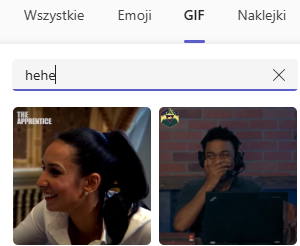
image.png

Jedna z nielicznych rozrywek w robocie z kumplem i nawet to ugrzeczniają.

Suavek

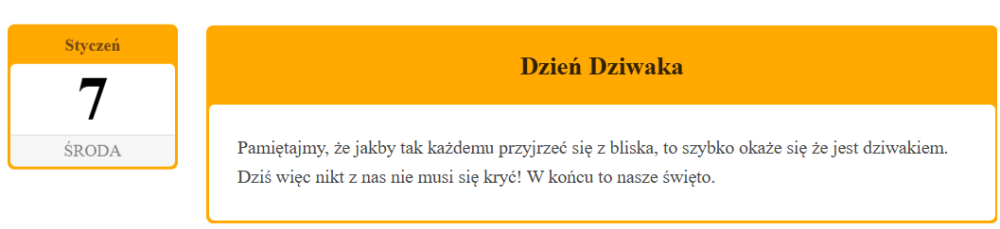
Świętujemy.

obraz.png

Suavek

597889228_1400040928152768_4576073275133103738_n.jpg

Suavek

595588833_1289038963262137_5475512040236370715_n.jpg

@miura_gymneko

Suavek

lglJvAg5NeQNUYjN.jpg

Suavek

O to, to.

518196391_1135034031977154_8820408271268360115_n.jpg

Suavek

502699267_1167814455381952_1022640029393

Suavek

nawzajem

Account

Navigation

Szukaj

Szukaj

Configure browser push notifications

Chrome (Android)
  1. Tap the lock icon next to the address bar.
  2. Tap Permissions → Notifications.
  3. Adjust your preference.
Chrome (Desktop)
  1. Click the padlock icon in the address bar.
  2. Select Site settings.
  3. Find Notifications and adjust your preference.