Skocz do zawartości
View in the app

A better way to browse. Learn more.

Forum PSX Extreme

A full-screen app on your home screen with push notifications, badges and more.

To install this app on iOS and iPadOS
  1. Tap the Share icon in Safari
  2. Scroll the menu and tap Add to Home Screen.
  3. Tap Add in the top-right corner.
To install this app on Android
  1. Tap the 3-dot menu (⋮) in the top-right corner of the browser.
  2. Tap Add to Home screen or Install app.
  3. Confirm by tapping Install.

oFi

Patroni

oFi

Spencerowi nawet nie udaje sie kłamać w opisach swoich gadżetów:
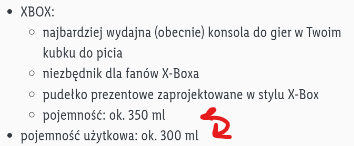
 

image.png.95dc829fce7f1bcd70a99d466372f428.png

oFi

Oled + sonka > steambeka 1280p :niki:

oFi

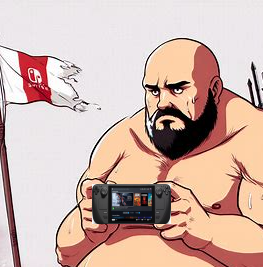
U chorągiewki bez zmian. 


image.png.d4944874529f46825f2e79645abcca90.png


oFi


Kiedy half life 3?

oFi

A jak tam u was?


image.png.af32f28b0749bc655a254b663def6330.png

michal    oFi

ten piesek z twojego avatara to z FFXVI??

oFi

Rdr2? Meme generator


oFi

Jak nie promować gier cz 1.


oFi

60 fps rdr2


W końcu można w to grać :niki:

oFi

Jeszcze nie grałem ale przyznam ze muza to jest TOP


Account

Navigation

Szukaj

Szukaj

Configure browser push notifications

Chrome (Android)
  1. Tap the lock icon next to the address bar.
  2. Tap Permissions → Notifications.
  3. Adjust your preference.
Chrome (Desktop)
  1. Click the padlock icon in the address bar.
  2. Select Site settings.
  3. Find Notifications and adjust your preference.