








Figuś
Senior Member
-
Dołączył
Treść opublikowana przez Figuś
-
-
polecam tam nie wchodzić, będziesz zdrowszy mi się udało większych spoilerów uniknąć jedyne na które się załapałem i mogły wrzucić zdziwko to heh jakie zdziwko jak czyszcząc co zostało do
-
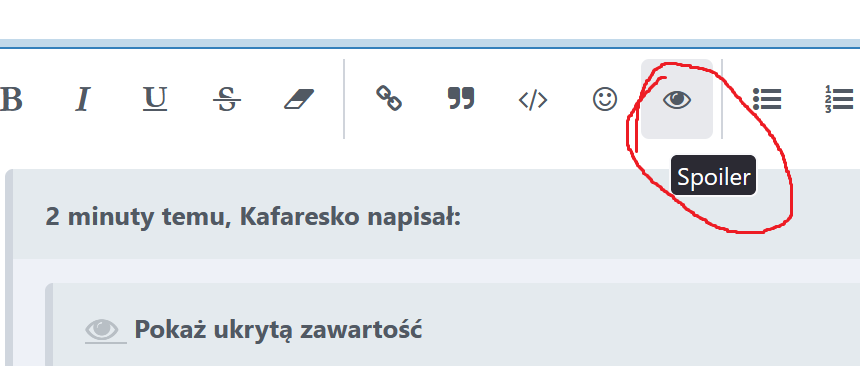
bbcode jest wyłączony na forum, schowałem ci ale to ostatni raz na przyszłość
-
ja bym jednak pisał w spoilerach bo jak ktoś czyta forum poprzez nową zawartość może się nadziać, a sporo osób tak właśnie przegląda co do końcówki to kurwa jakie to piękne było Cieszy mnie że nie poszli na łatwiznę i co do kolejnej części to obstawiam że jednak będzie
-
tak
-
Wersja ps4 ma tez tryb odblokowanych klatek i na ps5 powinno śmigać w 60 z tym że tylko w w fullhd
-
Mam 46h czy fabularnie po dużo fabuły mi zostało bo się zastanawiam czy dzisiaj przynerdzić, czy zostawić sobie na jutro fabułę
-
dysk może siadł
-
mmmm Elenka xd
-
https://www.purepc.pl/warhammer-40000-darktide-z-najbardziej-absurdalnymi-wymaganiami-sprzetowymi-w-2022-roku O jezu, wyczuwam wtopę podobną do cp77. Wychodzi że beta to był prawie finalny kod.FIFKA do zaoraniaja bym brał pod uwagę ilość komentarzy pod artykułami na PPEJak był pusty patch z 60 fps to nie, ale W3 ma osobny rating na nowe konsole tak więc spodziewałbym się nowego zestawu dzbanków na PS5, na Xboxie raczej nie będzie przez Smart Delivery i zamieni po prostu wersje gry patchem.raczejzatrzymajcie karuzelę...ja tam wziąłem już dawno jak tylko ogłosili darmowy patch za 40zł i tak sobie czekałojesteś daleko od tej miejscówki fabularnie nawethttps://blog.playstation.com/2022/11/17/playstations-black-friday-deals-2022/PlayStation Plus For the duration of Black Friday Deals, save 25% on any of the three PlayStation Plus 12 month membership plans**, whether that’s PlayStation Plus Essential, Extra or Premium. Current PlayStation Plus members can save 25% when you upgrade your current plan to PlayStation Premium or Extra. Sign in to see your Black Friday deals.Jeśli tak, to strasznie mnie tam biją XD




Account
Navigation
Szukaj
Configure browser push notifications
Chrome (Android)
- Tap the lock icon next to the address bar.
- Tap Permissions → Notifications.
- Adjust your preference.
Chrome (Desktop)
- Click the padlock icon in the address bar.
- Select Site settings.
- Find Notifications and adjust your preference.
Safari (iOS 16.4+)
- Ensure the site is installed via Add to Home Screen.
- Open Settings App → Notifications.
- Find your app name and adjust your preference.
Safari (macOS)
- Go to Safari → Preferences.
- Click the Websites tab.
- Select Notifications in the sidebar.
- Find this website and adjust your preference.
Edge (Android)
- Tap the lock icon next to the address bar.
- Tap Permissions.
- Find Notifications and adjust your preference.
Edge (Desktop)
- Click the padlock icon in the address bar.
- Click Permissions for this site.
- Find Notifications and adjust your preference.
Firefox (Android)
- Go to Settings → Site permissions.
- Tap Notifications.
- Find this site in the list and adjust your preference.
Firefox (Desktop)
- Open Firefox Settings.
- Search for Notifications.
- Find this site in the list and adjust your preference.