
Skocz do zawartości
View in the app

A better way to browse. Learn more.

Forum PSX Extreme

A full-screen app on your home screen with push notifications, badges and more.

To install this app on iOS and iPadOS
  1. Tap the Share icon in Safari
  2. Scroll the menu and tap Add to Home Screen.
  3. Tap Add in the top-right corner.
To install this app on Android
  1. Tap the 3-dot menu (⋮) in the top-right corner of the browser.
  2. Tap Add to Home screen or Install app.
  3. Confirm by tapping Install.

second

Użytkownicy
  • Dołączył

  • Ostatnia wizyta

second

Dzisiaj w Google Zbigniew Ziobro 
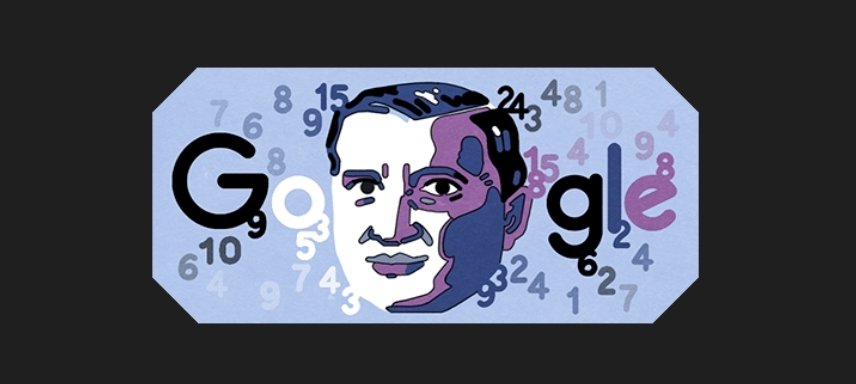
SmartSelect_20220722-072641_Chrome.jpg.a46cd50ad2b9cf55d75dd1c388b79893.jpg

second

Czy wybiera się ktoś na weekend do NY? Bo szukam najlepszego sposobu, żeby wysrać się przed wylotem lub ostatecznie na lotnisku, a nie tam na miejscu, bo wtedy 1/5 wyjazdu w plecy. Tylko sprawdzone metody.

second

Zdrowywariat, pamiętamy [*] 


13_1645123021_281208.jpg.814a4945b7f25340c991245abc7bebca.jpg

second

Drodzy koneserzy gamingu, szybkie pytanko: które Mario Party z tych na Switcha jest lepsze?

second

A jak tam dzisiaj u Was, e-koledzy? 

1024349179_pobrane(3).jpeg.d04629dfec4cc02a1969d49926d6924b.jpeg

Account

Navigation

Szukaj

Szukaj

Configure browser push notifications

Chrome (Android)
  1. Tap the lock icon next to the address bar.
  2. Tap Permissions → Notifications.
  3. Adjust your preference.
Chrome (Desktop)
  1. Click the padlock icon in the address bar.
  2. Select Site settings.
  3. Find Notifications and adjust your preference.