

Panowie, gdzie można zaparkować w okolicy stadionu PGE, żeby uniknąć paraliżu po koncercie?



Gaben chyba nie lubi Polaków.
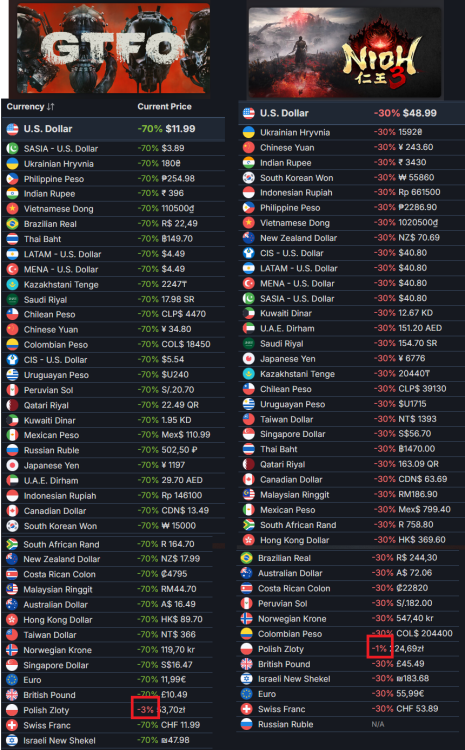

takie promo to ja rozumiem 

Jest na forum temat gdzie można się umawiać z dołączeniem do rodziny NSO?

Jak już ruszyła na forum akcja, to:
Chyba wiadomo kto:
Po premierze gry: "ojojoj bloober nie dał mi klucza do Cronosa, musiałem sobie kupić". 9 miesięcy później w podcaście: "Bloober nie wysłał mi klucza do Cronosa. Łojejujeju".
"Kupiłem sobie bieżnię do biegania....byłem na koncercie...kupiłem zestaw VR i Half life Alyx...łojejujeju nie mam jak zagrać, bo nie mam wystarczająco mocnej karty graficznej. Nie mam za co kupić. Może ktoś z widzów by mi pomógł?". (Facet wtedy koło 50 lat i z własną firmą)
"Mam słaby internet. Może ktoś z widzów by się złożył na Starlinka?" (jak wyżej)
"-Mam grę X w 5 różnych wersjach na 3 różne sprzęty z różnych generacji.
-Aż tak się spodobała ta gra?
-Nie wiem, nie odpalałem (albo "grałem do tej pory tylko 15 minut") "
-
 1
1
-
 9
9
-
 1
1
-
 2
2
ITS OVER