Skocz do zawartości
View in the app

A better way to browse. Learn more.

Forum PSX Extreme

A full-screen app on your home screen with push notifications, badges and more.

To install this app on iOS and iPadOS
  1. Tap the Share icon in Safari
  2. Scroll the menu and tap Add to Home Screen.
  3. Tap Add in the top-right corner.
To install this app on Android
  1. Tap the 3-dot menu (⋮) in the top-right corner of the browser.
  2. Tap Add to Home screen or Install app.
  3. Confirm by tapping Install.

Hubert249

Ale będzie walka między Re4 a AW2 w temacie GOTY 2023 :obama:

michal

Ty, Mejm, mleko z miodem pije. 

Mendrek

AGDQ wystartowało ;)

k0ntra

Wczorajssy wieczór sponsorował OLEDca na nim w przepięknych barwach zapodana Koudelka z Szaraka.

Figaro

419231228_18242639251219696_417393203037


hmm.

Square

Zapraszam do głosowania

Daddy


k0ntra

Smacznej kawusi 

comment_1622278386ViZEPbPmreeBbgi7b9tCUX.jpg

KrYcHu_89

image.thumb.png.00c8417c2f3eede8811abcb8bf8098ef.png


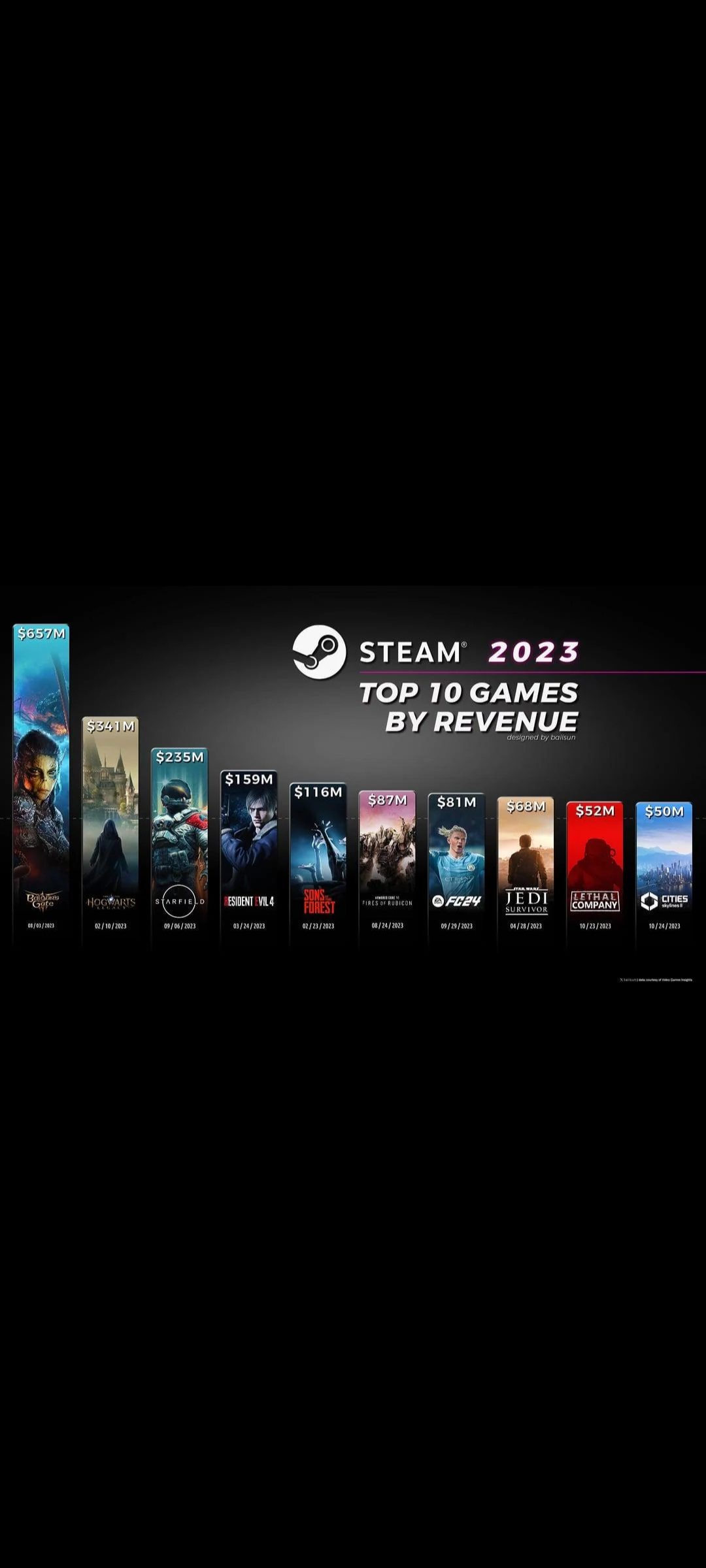
Lethal Company zrobił jeden koleś xD. 

 

Sven Froost

Gunther znowu powrocil


Account

Navigation

Szukaj

Szukaj

Configure browser push notifications

Chrome (Android)
  1. Tap the lock icon next to the address bar.
  2. Tap Permissions → Notifications.
  3. Adjust your preference.
Chrome (Desktop)
  1. Click the padlock icon in the address bar.
  2. Select Site settings.
  3. Find Notifications and adjust your preference.