






Ale Bzduras! DS4 obsluguje XMB PS3 ale gierek juz nie (mowa o Jack'u). Bezsens 
MEVEK
Senior Member
-
Dołączył
-
Ostatnia wizyta
Co sie dzieje z Yano ? Ktos, cos wie?

pamiętacie wstrząsy ?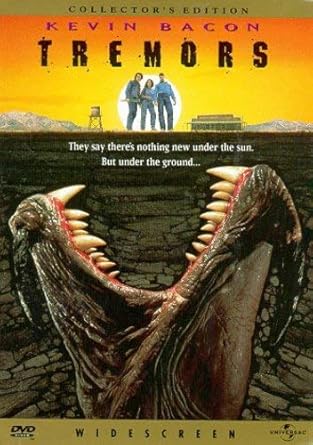
Ciekawostki o Wiezy Eiffla:
-
Pod wpływem zimna wieża kurczy się nawet do 18 cm(...)
 chyba powinno byc o 18cm
 chyba powinno byc o 18cm
Biedny ten support PayPal'a. Nie odpocznie sobie ode mnie. Tym razem bede reklamowal LG C7V  Nie wiem, co ja mam z tymi felernymi zakupami ostatnimi czasy. Przykre
  A tak powaznie, da sie to jakos naprawic systemowo?
Zalaczam fotke: 
Apeluje o zwiększenie  na piątkowe popołudnie - może braknąć !

Jaki polecacie darmowy program do slajdów w formie video, żeby następnie wrzucić na ytuba ?