Skocz do zawartości
View in the app

A better way to browse. Learn more.

Forum PSX Extreme

A full-screen app on your home screen with push notifications, badges and more.

To install this app on iOS and iPadOS
  1. Tap the Share icon in Safari
  2. Scroll the menu and tap Add to Home Screen.
  3. Tap Add in the top-right corner.
To install this app on Android
  1. Tap the 3-dot menu (⋮) in the top-right corner of the browser.
  2. Tap Add to Home screen or Install app.
  3. Confirm by tapping Install.

Figaro

Kochani - dziękuję za zaufanie.
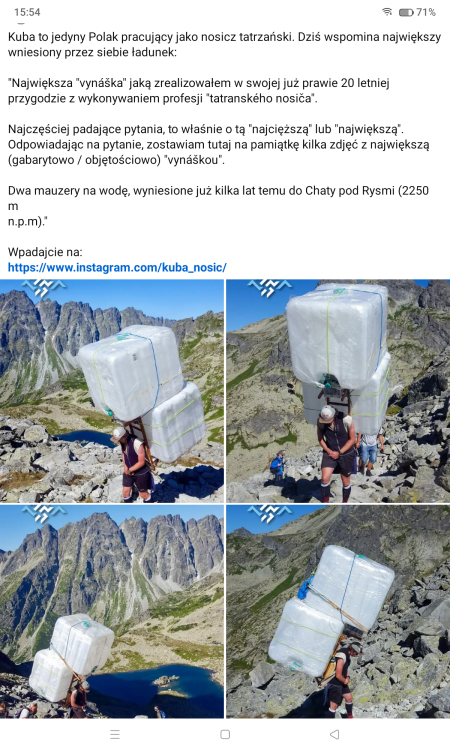
image.png

maciucha

Hitman: WoA pod kołderką przez cały deszczowy dzień, w tle meczyki banderas

XM.

img_2_1781285685022.jpg

Emtebe

Który to śmieszek twierdził, że grzbiety pudełek na S2 są mega i fajnie się prezentują na regale?

IMG_20260612_154019.jpeg

Ehh. No nie bardzo.

KrYcHu_89

Najpopularniejsze postacie z gier według Japończyków
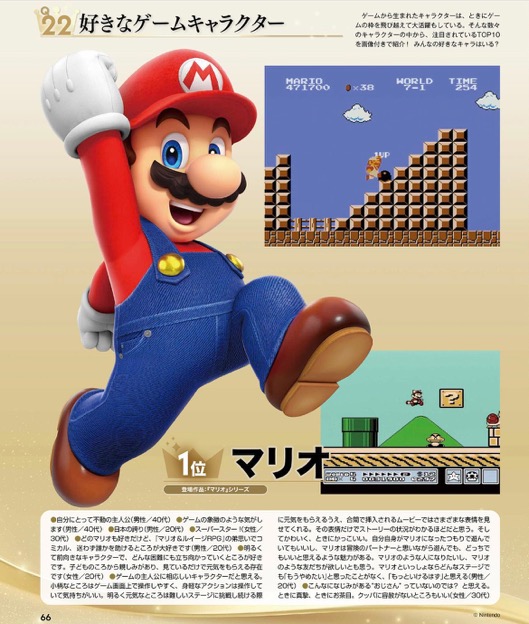
IMG-1454.jpg

IMG-1455.jpg

IMG-1456.jpg

Account

Navigation

Szukaj

Szukaj

Configure browser push notifications

Chrome (Android)
  1. Tap the lock icon next to the address bar.
  2. Tap Permissions → Notifications.
  3. Adjust your preference.
Chrome (Desktop)
  1. Click the padlock icon in the address bar.
  2. Select Site settings.
  3. Find Notifications and adjust your preference.