
Skocz do zawartości
View in the app

A better way to browse. Learn more.

Forum PSX Extreme

A full-screen app on your home screen with push notifications, badges and more.

To install this app on iOS and iPadOS
  1. Tap the Share icon in Safari
  2. Scroll the menu and tap Add to Home Screen.
  3. Tap Add in the top-right corner.
To install this app on Android
  1. Tap the 3-dot menu (⋮) in the top-right corner of the browser.
  2. Tap Add to Home screen or Install app.
  3. Confirm by tapping Install.

kanabis

Fajnie jakby zrobili tez takie kukiełki co po nacisnieciu brzuszka mowia "Fur deutschland" Postawilbym obok godzilli :)


Screenshot_20230610-104225.jpg.95ad9943a93e887e41eb21a57b846eb4.jpg

Szwed

A mówili, żeby nie gadać na tematy polityczne :v

G R O Ź N I E tam.

oFi

Naprawiłem muzyke do trailera nowego Popka. Teraz to nawet ciareczki :obama: 


Shen

:boomer:

Przechwytywanie.JPG.7e6844b6bccd4ee5f55aefd64bdab276.JPG

Josh

Gangsta rapsy, postacie stylizowane na Fortnite i księciunio w dredach. Fajny ten nowy Prince of Persia, taki postępowy. 

Krzysztof93

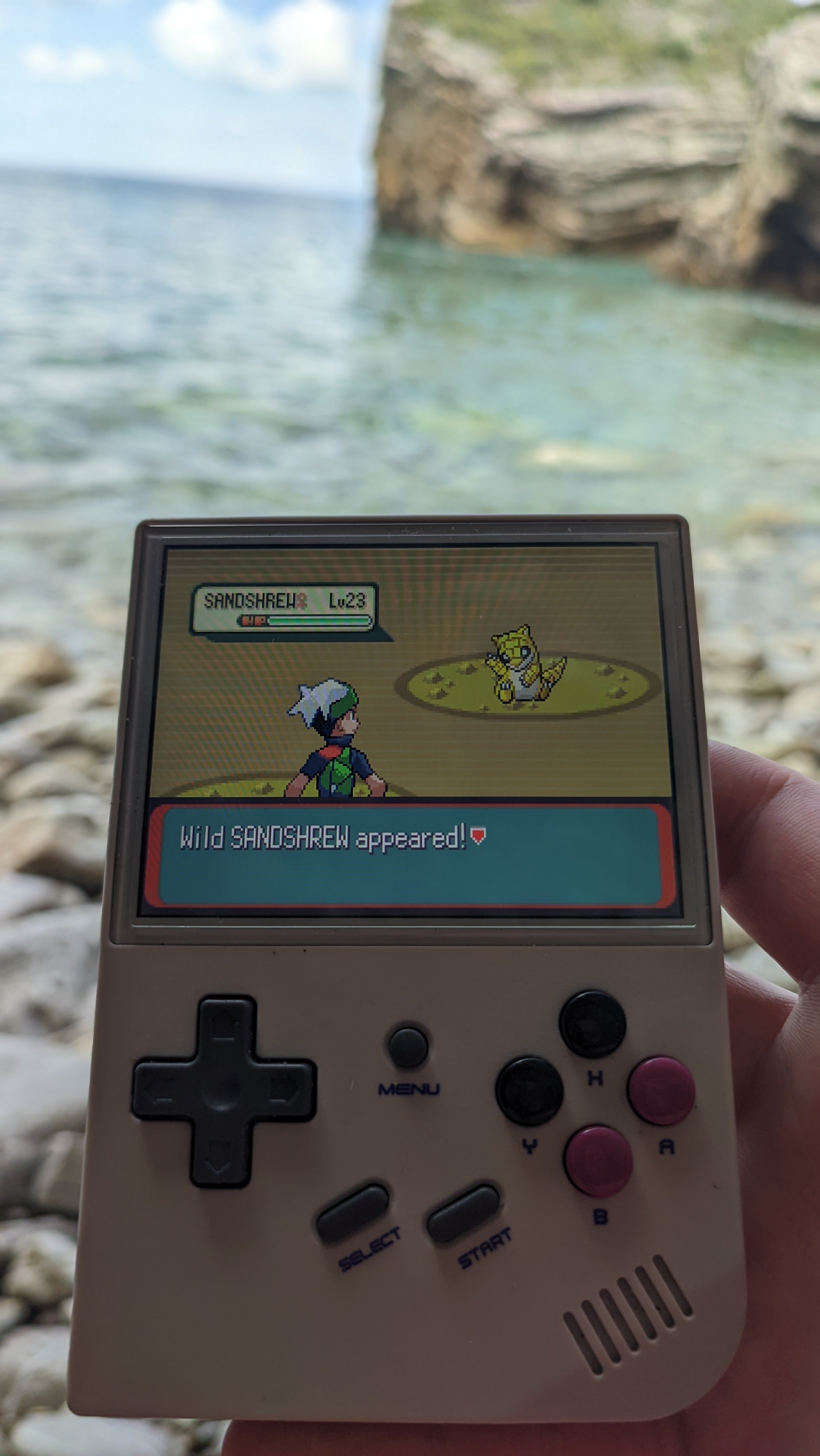
Miło sobie usiąść w cieniu i pograć na gejmboju :rayos:

PXL_20230609_115431406.jpg

Account

Navigation

Szukaj

Szukaj

Configure browser push notifications

Chrome (Android)
  1. Tap the lock icon next to the address bar.
  2. Tap Permissions → Notifications.
  3. Adjust your preference.
Chrome (Desktop)
  1. Click the padlock icon in the address bar.
  2. Select Site settings.
  3. Find Notifications and adjust your preference.