Skocz do zawartości
View in the app

A better way to browse. Learn more.

Forum PSX Extreme

A full-screen app on your home screen with push notifications, badges and more.

To install this app on iOS and iPadOS
  1. Tap the Share icon in Safari
  2. Scroll the menu and tap Add to Home Screen.
  3. Tap Add in the top-right corner.
To install this app on Android
  1. Tap the 3-dot menu (⋮) in the top-right corner of the browser.
  2. Tap Add to Home screen or Install app.
  3. Confirm by tapping Install.

Rudiok

Senior Member
  • Dołączył

  • Ostatnia wizyta

Rudiok

FB-IMG-1638334882176.jpg


Rudiok

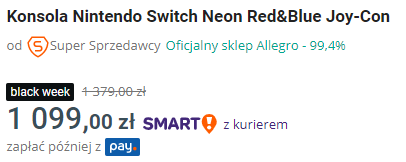
Takie oferty to szanuję.


image.png.382b35d85630f89ce0e0b0629321a852.png

Rudiok

Dobre podsumowanie obecnej sytuacji na rynku gierek :lapka:


Rudiok

Kurwa. Ktoś mi narobił zakupów na PSN na prawie 2k... Karta zablokowana, na konto się nie dostanę, bo ktoś zmienił na weryfikację dwuetapową. Maila na support wysłałem, na Policję się kopsnę. Ktoś przerabiał podobną akcję, jakieś porady?

Rudiok

Boo :woot:

Happy-Halloween-2.jpg


Account

Navigation

Szukaj

Szukaj

Configure browser push notifications

Chrome (Android)
  1. Tap the lock icon next to the address bar.
  2. Tap Permissions → Notifications.
  3. Adjust your preference.
Chrome (Desktop)
  1. Click the padlock icon in the address bar.
  2. Select Site settings.
  3. Find Notifications and adjust your preference.