
Skocz do zawartości
View in the app

A better way to browse. Learn more.

Forum PSX Extreme

A full-screen app on your home screen with push notifications, badges and more.

To install this app on iOS and iPadOS
  1. Tap the Share icon in Safari
  2. Scroll the menu and tap Add to Home Screen.
  3. Tap Add in the top-right corner.
To install this app on Android
  1. Tap the 3-dot menu (⋮) in the top-right corner of the browser.
  2. Tap Add to Home screen or Install app.
  3. Confirm by tapping Install.

dee

WoW poważny biznes

9f3719d8736f37208430ae698c3821edd5c1373f

Pupcio

Kończe z graniem chłopaki, czas dorosnąć.

kanabis

Coraz czesciej sram w pracy. Zawsze robilem to w domu przed pracą. Czy to jakies schorzenie po 30 sie zaczyna?


easye

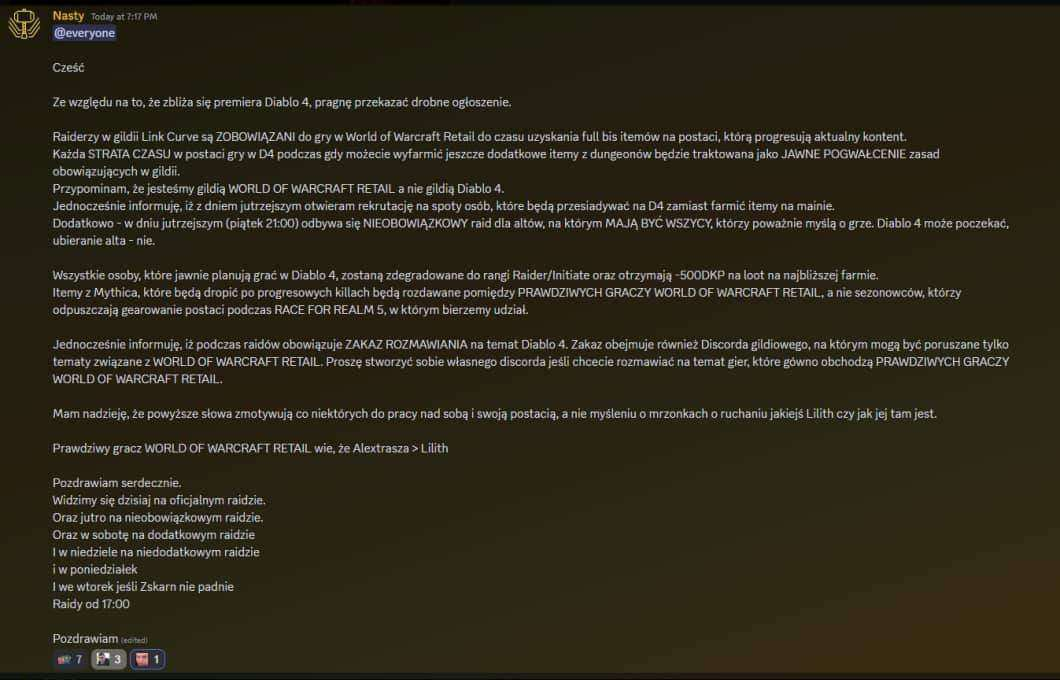
Jakby ktoś pytał, jak nowa Zelda chodzi u @tjeryego:


krupek

Pilne! Daj ktoś Pupciowi reakcję WTF i pucharek dwa statusy niżej, żeby miał komplet. Fajnie będzie wyglądało.

Account

Navigation

Szukaj

Szukaj

Configure browser push notifications

Chrome (Android)
  1. Tap the lock icon next to the address bar.
  2. Tap Permissions → Notifications.
  3. Adjust your preference.
Chrome (Desktop)
  1. Click the padlock icon in the address bar.
  2. Select Site settings.
  3. Find Notifications and adjust your preference.