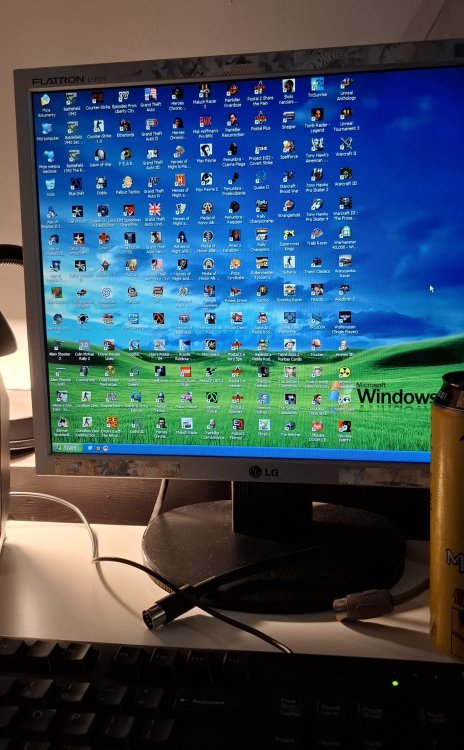
Quake96 1 lutego1 lut Leniwe niedzielne popołudnie Mejm 1 lutego1 lut Zaznaczanie ikon na pulpicie najlepsza rozrywka w robocie. Tutaj plansza dobrze przygotowana. Snake_Plissken 1 lutego1 lut Hirołsy i Warcrafty, szacuneczek! Gość 1 lutego1 lut stary za to to masz w chuj szacun na dzielni! Rtooj 1 lutego1 lut Mam to samo z gołymi kobietami Starh 2 lutego2 lut Same hiciory!
Mejm 1 lutego1 lut Zaznaczanie ikon na pulpicie najlepsza rozrywka w robocie. Tutaj plansza dobrze przygotowana.













Mejm
Zaznaczanie ikon na pulpicie najlepsza rozrywka w robocie. Tutaj plansza dobrze przygotowana.
Snake_Plissken
Hirołsy i Warcrafty, szacuneczek!
Gość
stary za to to masz w chuj szacun na dzielni!
Rtooj
Mam to samo z gołymi kobietami
Starh
Same hiciory!