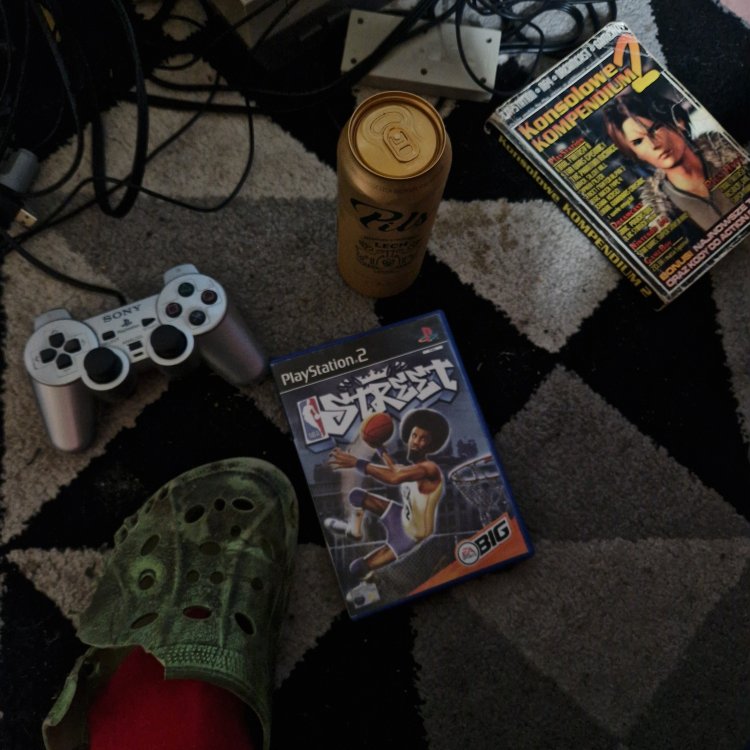
Figaro 4 godziny temu4 godz. Ktoś przeleje bliczka na dwa dodatkowe browce? Pogram sobie w koszykówkę sam ze sobą. Jukka Sarasti 4 godziny temu4 godz. @gtfan Figaro 4 godziny temu4 godz. @Jukka Sarasti Chewie 3 godziny temu3 godz. Ale bym grał w to NBA. Jeszcze na nowe crocsy potrzebujesz, może jakiś only fans? Figaro 3 godziny temu3 godz. możesz wpaść i pograć ze mną i roleplayować bycie moim kolegą Chewie 3 godziny temu3 godz. jak będę w Poznaniu to wpadnę Sven Froost 2 godziny temu2 godz. Podaj numer
Chewie 3 godziny temu3 godz. Ale bym grał w to NBA. Jeszcze na nowe crocsy potrzebujesz, może jakiś only fans?









Jukka Sarasti
@gtfan
Figaro
@Jukka Sarasti
Chewie
Ale bym grał w to NBA. Jeszcze na nowe crocsy potrzebujesz, może jakiś only fans?
Figaro
możesz wpaść i pograć ze mną i roleplayować bycie moim kolegą
Chewie
jak będę w Poznaniu to wpadnę
Sven Froost
Podaj numer