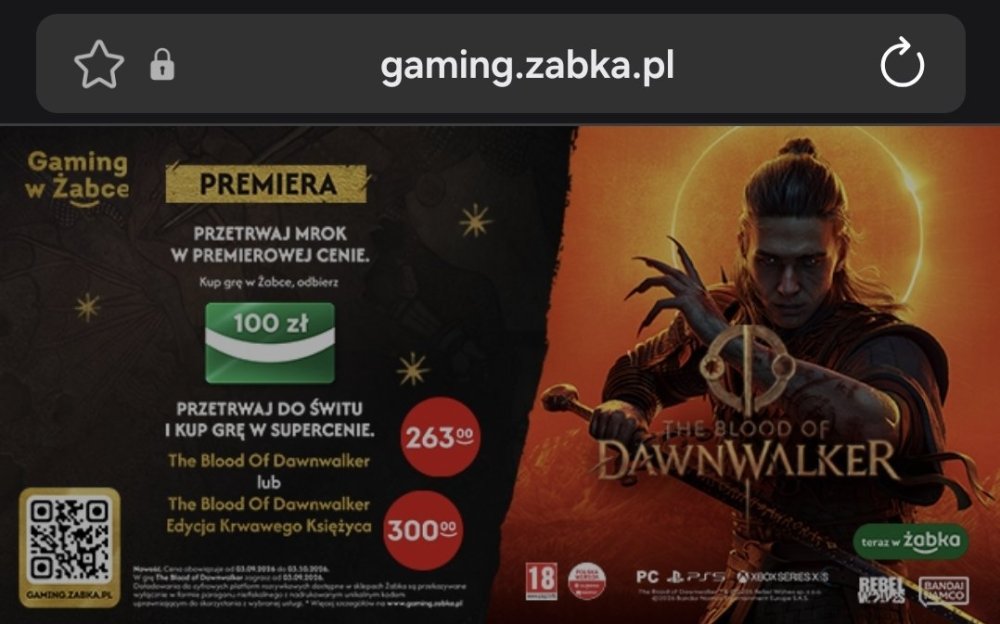
Rudiok wtorek o 17:252 dni The future is now old man. Czokosz wtorek o 17:542 dni poproszę hot doga i tego Świtołaza za 260 Resident Debil wtorek o 18:082 dni Chewie wtorek o 22:282 dni Jeszcze trochę i żabka uruchomi swój streaming gier, zamiast w geforce now będziemy grać na frog cloud
Chewie wtorek o 22:282 dni Jeszcze trochę i żabka uruchomi swój streaming gier, zamiast w geforce now będziemy grać na frog cloud










Czokosz
poproszę hot doga i tego Świtołaza za 260
Resident Debil
Chewie
Jeszcze trochę i żabka uruchomi swój streaming gier, zamiast w geforce now będziemy grać na frog cloud