Skocz do zawartości
View in the app

A better way to browse. Learn more.

Forum PSX Extreme

A full-screen app on your home screen with push notifications, badges and more.

To install this app on iOS and iPadOS
  1. Tap the Share icon in Safari
  2. Scroll the menu and tap Add to Home Screen.
  3. Tap Add in the top-right corner.
To install this app on Android
  1. Tap the 3-dot menu (⋮) in the top-right corner of the browser.
  2. Tap Add to Home screen or Install app.
  3. Confirm by tapping Install.

Dr.Czekolada

Senior Member
  • Dołączył

  • Ostatnia wizyta

Dr.Czekolada

Sztuczna inteligencja, ale głos BOGA.

Dr.Czekolada

NNEK9194881DAF83DD 

kod na Dishonored 2 na gog. Mi niepotrzebny.


Dr.Czekolada

Jak dobrze mieć Decka w 2022 bo już dłużej tej karuzeli nie umiałbym ciągnąć XD

Dr.Czekolada

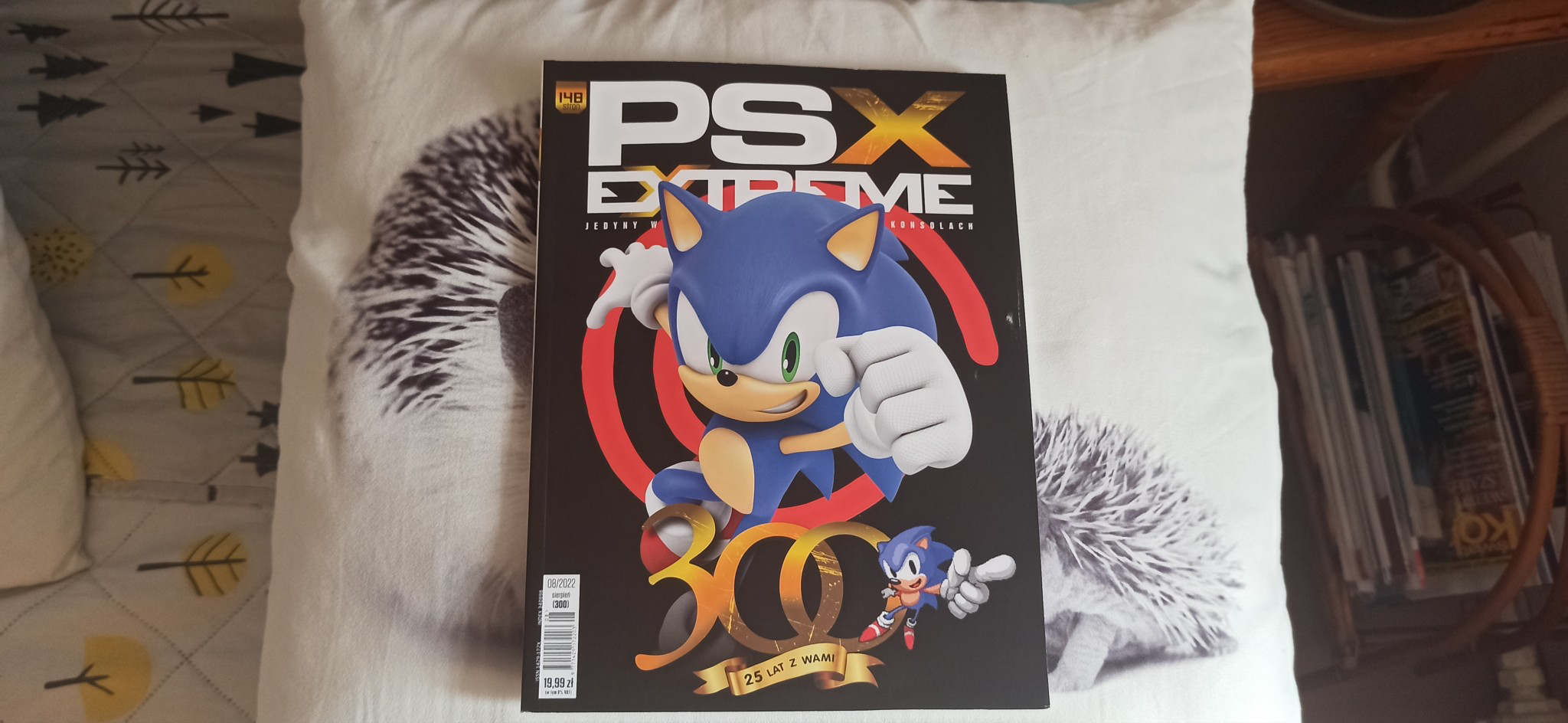
Ostatni numer szmatławca kupowałem ... Gdzieś u schyłku siódmej generacji konsol? Człowiek już nie czyta bo od czego jest internet. Trochę porysowany bok, nie wiem czy od zakupów w torbie czy taki wziąłem szybko i nie przyuważylem (żeby nikt nie widział 30+ latka z gazetą dla dzieci) :(

image.thumb.png.a3ffe019713b381861ae25f81c189751.png

Account

Navigation

Szukaj

Szukaj

Configure browser push notifications

Chrome (Android)
  1. Tap the lock icon next to the address bar.
  2. Tap Permissions → Notifications.
  3. Adjust your preference.
Chrome (Desktop)
  1. Click the padlock icon in the address bar.
  2. Select Site settings.
  3. Find Notifications and adjust your preference.