Skocz do zawartości
View in the app

A better way to browse. Learn more.

Forum PSX Extreme

A full-screen app on your home screen with push notifications, badges and more.

To install this app on iOS and iPadOS
  1. Tap the Share icon in Safari
  2. Scroll the menu and tap Add to Home Screen.
  3. Tap Add in the top-right corner.
To install this app on Android
  1. Tap the 3-dot menu (⋮) in the top-right corner of the browser.
  2. Tap Add to Home screen or Install app.
  3. Confirm by tapping Install.

maciucha

Senior Member
  • Dołączył

  • Ostatnia wizyta

maciucha

RDT_20260315_185122129899417243893563.jpg

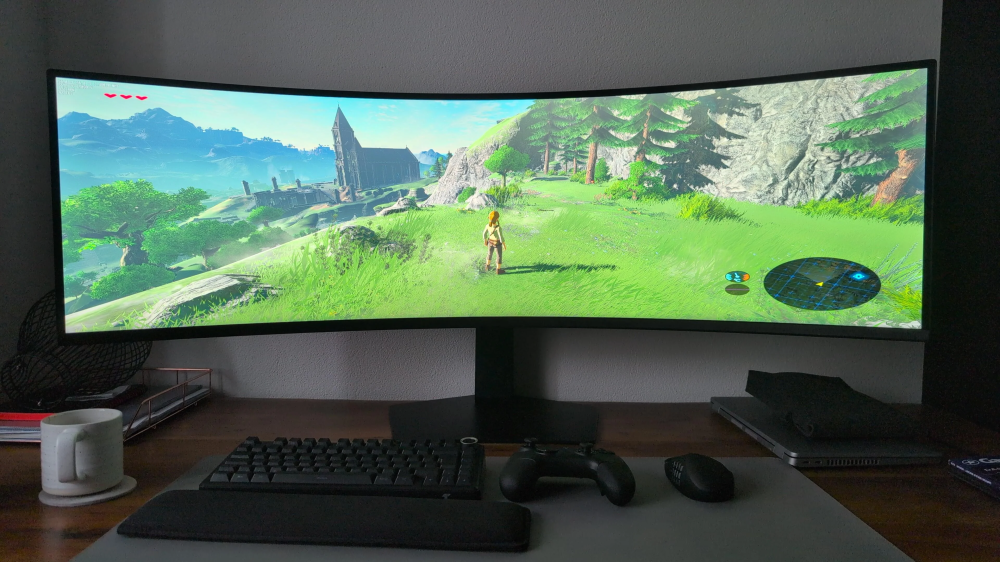
A wy co tam? Dalej 30fps pod jakąś zapoconą kołdrą na switchu 1?

maciucha

Obecna generacja była zupełnie bezcelowa.

maciucha

Będę grał w grę. Komboje 2 w 120fps. Pozdro.

maciucha

Chłopaki jaka paste do procka do stacjonarnego PC polecacie? Tak sobie przypomniałem po 2 latach posiadania że chyba wypadałoby zrobić.

maciucha

Balatro jaki złodziej czasu banderas

maciucha

image.png

to będzie dobra sobota banderas

maciucha

oesu MK: World jaki parujący kasztan tyle czasu po premierze balon

maciucha

Co polecacie z słuchawek gamingowych do 6-7 stówek?

Account

Navigation

Szukaj

Szukaj

Configure browser push notifications

Chrome (Android)
  1. Tap the lock icon next to the address bar.
  2. Tap Permissions → Notifications.
  3. Adjust your preference.
Chrome (Desktop)
  1. Click the padlock icon in the address bar.
  2. Select Site settings.
  3. Find Notifications and adjust your preference.