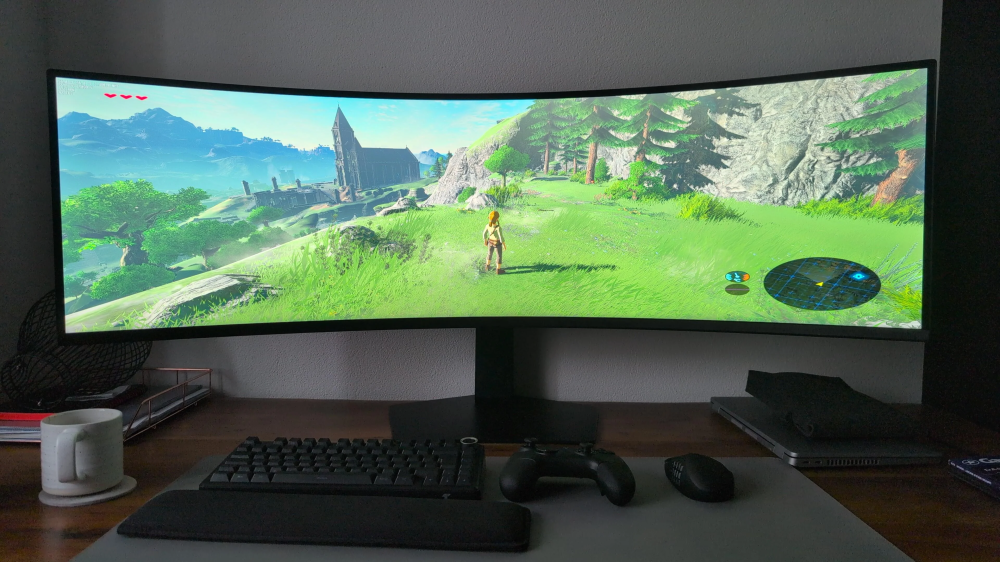
maciucha 15 marca15 mar A wy co tam? Dalej 30fps pod jakąś zapoconą kołdrą na switchu 1? Pupcio 15 marca15 mar Co maciucha nie ma gierek na twojego złomixa że kradniesz nintendo perełki? GearsUp 15 marca15 mar U mnie 102" projektora u ciebie co tam? Nienaturalnie rozciągnięty HUD przez ultrawide'a? ciwa22 15 marca15 mar Jak wy to wszystko widzicie? mugen 15 marca15 mar jak to jak, po to pecetowcy mają obracane krzesła Shen 15 marca15 mar ludzie tak serio graja? Mejm 15 marca15 mar Plugawy 15 marca15 mar I to wszystko w 720p hehe Lukas_AT 16 marca16 mar Granie na takim ekranie to musi byc niezla meczarnia. k0ntra 16 marca16 mar Czy to szare kolory niczym w technologii... LCD? xDDDD SebaSan1981 16 marca16 mar Takie granie to gwarantowane szkła 20 dioptrii za 10-15lat
GearsUp 15 marca15 mar U mnie 102" projektora u ciebie co tam? Nienaturalnie rozciągnięty HUD przez ultrawide'a?




.jpeg.4aedef0e34acd9123a280bb1ecf61731.jpeg)



.thumb.jpeg.61f8c1e8e03d4884da35ffe4624012b9.jpeg)


Pupcio
Co maciucha nie ma gierek na twojego złomixa że kradniesz nintendo perełki?
GearsUp
U mnie 102" projektor
a u ciebie co tam? Nienaturalnie rozciągnięty HUD przez ultrawide'a?
ciwa22
Jak wy to wszystko widzicie?
mugen
jak to jak, po to pecetowcy mają obracane krzesła
Shen
ludzie tak serio graja?
Mejm
Plugawy
I to wszystko w 720p hehe
Lukas_AT
Granie na takim ekranie to musi byc niezla meczarnia.
k0ntra
Czy to szare kolory niczym w technologii... LCD? xDDDD
SebaSan1981
Takie granie to gwarantowane szkła 20 dioptrii za 10-15lat