







W ramach walki z cyfryzacją forum powinno być co miesiąc archiwizowana i dołączane na płytce do szmatławca.

I co, koniec końców ci co na przełomie wieków narzekali na dysk twardy w xboksie mieli rację.

Online, twardy dysk. Same złe rzeczy, które powinny być nielegalne na konsolach.

Czezky, kiedy przychodzi klient i pyta się co będzie ze sklepem








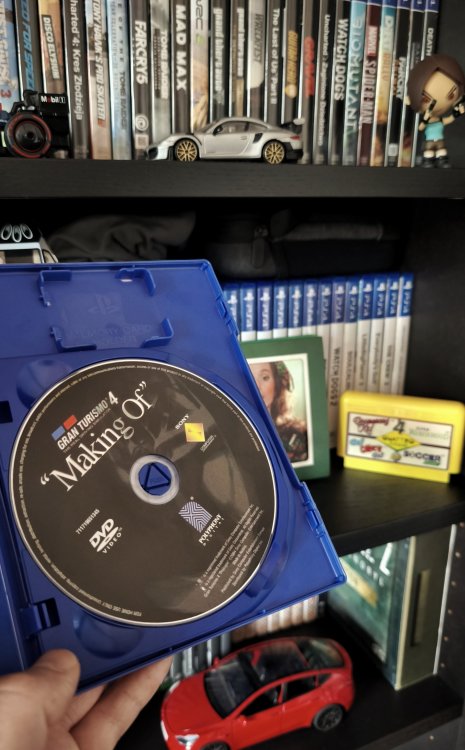
Lubię czasem pozaglądać do pudełek z grami, które mam na półkach. Tak powspominać czasy, gdy w pudełku były jeszcze książeczki z instrukcjami, jakieś broszurki czy nawet płyty, na których była gra. Ale dzisiaj miałem małe zdziwienie bo już nie pamiętałem, że posiadam GT4: Prologue w wersji z bonusowym dyskiem DVD, na którym jest film przedstawiający pracę nad grą. No mega niespodzianka. Kupuję cipsy na wieczór i oranżadę, i będzie oglądane.
-
 1
1
-
 1
1
-
 1
1

Ważne, że się wydarzyło.


"Dziennikarze growi" xddd
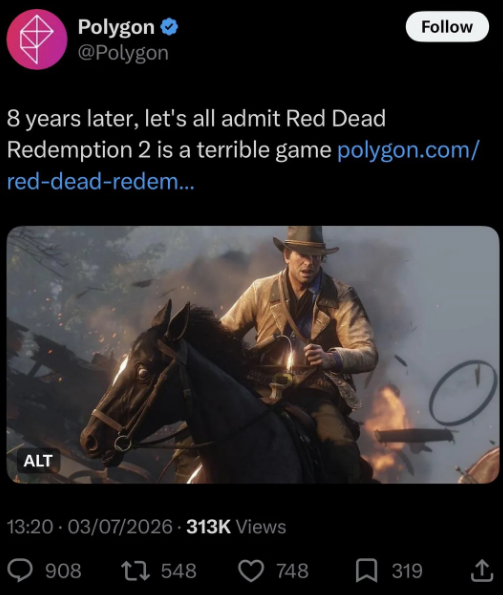

Let's not.


Gracze nabierający się na celowo jak najbardziej kontrowersyjne nagłówki, byle tylko wygenerować jakieś zasięgi na kolejnym umierającym growym portalu xd
-
1


Nie podobało Ci się zamiatanie stajni z gnoju i zaganianie owiec do zagrody?
nie podobało mi się jak starczyło zrobić 3 kroki nie tam gdzie twórcy sobie zażyczyli, aby mieć game over. jakbym grał w singla zjebanego CoDa, nie znosze tego
-
1
-
 2
2

Free-roam spoko, ale rzeczywiście w misjach jak po sznurku. Miałem nawet wrażenie, że sterowanie jest przytępione i gra często asystowała w podążaniu konkretną ścieżką.
to też, to też
Bo Wy nie rozumiecie. Tu nie chodzi o fun z gry i dobry gameplay, tylko o filmowe doświadczenie.
.thumb.jpg.186df2e9162342610fd4d2e1d38cdb05.jpg)
jest to i to ale dobrze wiedzieć że macie z figaro wspólną ceche typu bycie pierdolonym bezguściem haha


A yebać, gta też.

A w RDR2 tez sie jezdzi wozem/koniem z punktu A do B i z B do C sluchajac pomiedzy glebokich dialogow?
Jak już mówimy o pierdolonych bezguściach: jak tam Pupcio nadrabianie Silent Hill?

Kurła, ależ Game Informer masakruje naszego ekstrima pod względem jakości papieru i grafik (kolory). Jak oled vs lcd.

ogqozo
Tak się kiedyś żyło lol, było coś jak forum CD-Action dołączane na płycie do CD-Action co miesiąc. Dużo osób tam pisało na tematy wszelakie. Nota bene dużo bardziej wartościowe niż samo to co na papierze w CD-Action.
KrYcHu_89
Najbardziej podobała mi się sekcja na luzie