







Sylvan Wielki
Użytkownicy
-
Dołączył
-
Ostatnia wizyta
Treść opublikowana przez Sylvan Wielki
-
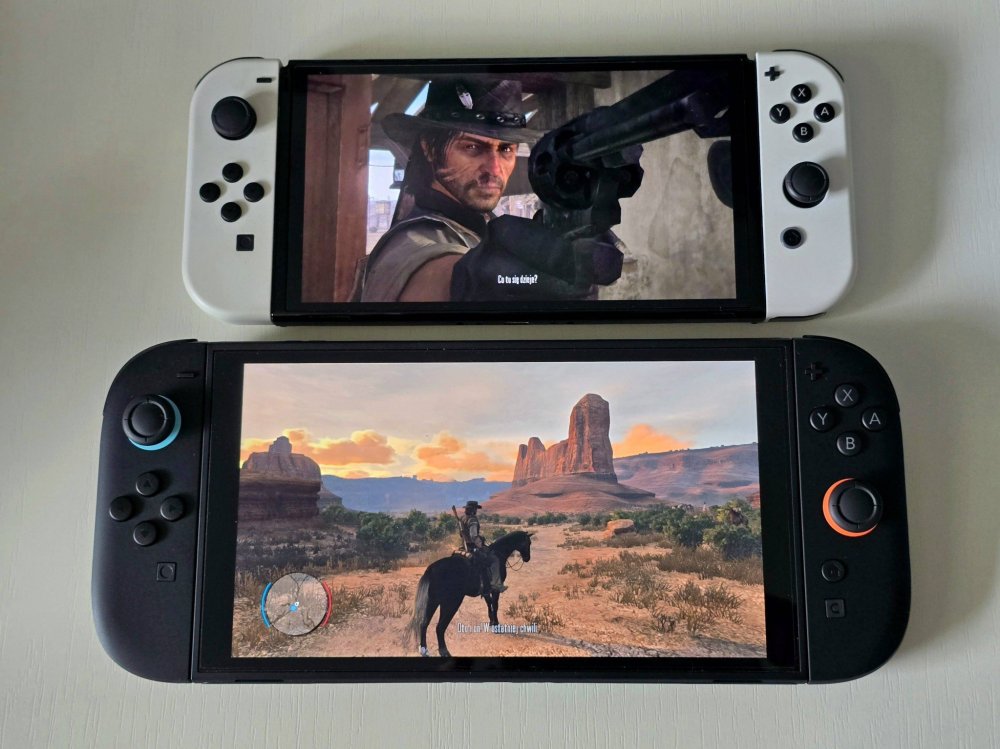
W Red Dead Redemption na Słiczu zagrywałem się podczas wyjazdu w Alpy. Kapitalne doznanie growe. Klimat, muzyka, wykonanie – na niewielkim ekranie nie potrzebowałem niczego więcej. Kilkadziesiąt godzin wspaniałej zabawy. Dodatek ogrywałem już na NS2. Ależ wyższa rozdzielczość i – przede wszystkim – 60 klatek na sekundę zrobiły tej grze dobrze. Znakomite doświadczenie dla miłośnika RDR. Oczywiście tytuł ukończyłem jeszcze za czasów PS3 i już wtedy zrobił na mnie ogromne wrażenie. Liczę, że kiedyś doczekamy się również wydania Red Dead Redemption II na Słiczersona Drugiego oraz aktualne konsole. To równie cudowny, co poprzedniczka, tytuł. Z przyjemnością zagrałbym w niego jeszcze raz.
-
Jutro kolejny Direct.
-
Można już składać zamówienia na album, którego premiera odbędzie się trzeciego listopada bieżącego roku.

-
Mnie gra bardzo się podoba. Nie zauważyłem na Pro problemów graficznych, o których wspominaliście, ale z całą pewnością zdarza jej się chrupnąć — na ogół wtedy, gdy przyzywam przywołańców, zmieniam formę i jednocześnie atakuję. Nie jest to szczególnie upierdliwe, ale nie powinno mieć miejsca. Gram, jak zawsze, w trybie wydajności. Wieczorem planuję obejrzeć finałowy odcinek „Stamtąd”, a później zabrać się za kontynuowanie przygody. Klimatu grze nie sposób odmówić, podbijam go oryginalną ścieżką dźwiękową, dodatkowo wyzwań nie brakuje. Nie jest specjalnie ciężko, ale finałowy boss drugiego aktu napsuł mi nieco krwi. Znakomicie się w to gra i aż jestem ciekaw, co wymyślą przy Zhong Kui oraz czy gra jeszcze wyjdzie na tę generację konsol (stawiam, że tak). Przy okazji, żeby jeszcze bardziej podbić doznania growe, polecam poczytać o wspomnianym czcigodnym uczonym, który stał się pogromcą demonów. Naprawdę interesująca historia. Będzie grubo w „dwójce”. Dodatkowo zastanawiam się, skoro Wukong wyszedł na Serii S, to czy mają w planach wersję na NS2. Sprzedaż Black Myth już bez tego jest obłędna, a ewentualny (dobry) port tylko by ją jeszcze podbił.
-
badzejo, takie rzeczy to na PW. Bo później Strauss przegląda forumek i myśli: „Ja im dam: jak coś to ...”. A tak na poważnie – jak tylko odkopię się z kupki wstydu, też biorę do kolekcji. Uwielbiam takie gry, a w demo bawiłem się naprawdę świetnie. Szkoda tylko, że na NS2 jest na GKC.
-
Xiaohai 4 razy zgarnął tytuł mistrza na Evo w The Kingf of Fighters, a teraz dołożył trzeci triumf w Fatal Fury: City of the Wolves. Zwyciężył na Evo Japan, Evo France oraz Evo Las Vegas. Absolutny dominator. Siedem tytułów mistrza Evo na koncie.
-
Aż szkoda, że taki temat się marnuje... Nic to, osobiście bardzo lubię wspinaczkę. Na skałki wybieramy się okazjonalnie (swoją drogą to świetna sprawa – polecam), natomiast na boulderownię chodzimy regularnie. Ja wspinam się raczej na modłę japońską, czyli „jako-tako”, ale moja dziewczyna to już połączenie Spider-Mana z kozicą. Od ośmiu lat trenuje trzy razy w tygodniu na sekcji, więc naprawdę daje radę. Super, że powstaje coraz więcej boulderowni, a i na zawodach frekwencja jest zawsze pod przysłowiowy korek.
-
Absolutna dominacja. Finał SF 6 na Evo.
-
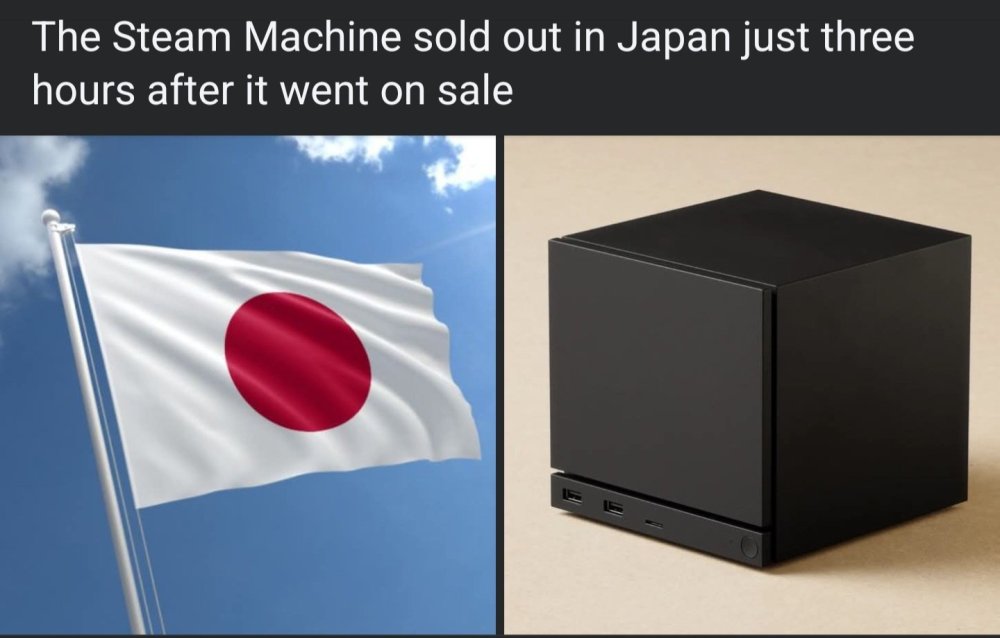
Arslan zgarnia ósmy tytuł mistrza Evo. Top 4 na Evo wygląda następująco: Arslan Ash (Pak) Rangchu (Kor) LowHigh (Kor) JeonDDing (Kor)Walka finałowa.Finał Evo. U redditto prezentuje się to następująco: 3. miejsce w 2024 r. 2. miejsce w 2025 r. 1. miejsce w 2026 r.Było.Zwiastun premierowy.Według KOMODO – oficjalnego dystrybutora sprzętu Valve w Japonii, Tajwanie i Hongkongu – zainteresowanie Steam Machine jest porównywalne z tym, jakie 4 lata temu towarzyszyło premierze Steam Decka w Kraju Kwitnącej Wiśni.
 „Obsesja” zadebiutuje na VOD 30 czerwca.Jeżeli ktoś ma odpowiednie zasoby, to powinien je wykorzystać. W sezonie XIV nie będzie można wytworzyć przedmiotów mitycznych u złotnika. Dobrze wiedzieć. Run mam tyle, że 8x Szako – dla przykładu – mogę wytworzyć i chciałem to zrobić w nadchodzącym sezonie, by zdobyć nowe przedmioty, ale będzie trzeba teraz się z tym pobawić.@Plugawy Tutaj masz pełno informacji odnośnie nowego sezonu. Ja już wszytkie klucze zostawiam na XIV. Ciekawią mnie te mityczne przedmioty 3.0. Gratuluję też pięciu gwiazdek. Teraz tylko wznosić modły do Tyraela, by Kostka wylosowała siłę klenjotu albo coś godnego, a nie niezniszczoność. I pozdrowienia dla partnerki życiowej. Grająca kobieta, to skarb. Moja również uwielbia gry wideo i ukończyła przy tym wszytkie odsłony Diablo.Za kilka godzin prezentacja nowej zawodniczki. Zdaję sobie sprawę, że chyba nikt tu nań nie czeka, ale wrzucam informacyjnie. Tify jestem jednak ciekaw. PS W sklepach znowu obniżki wersji na NS2. Years 1-2 obecnie jest do kupienia za 130 zł (bylo ponad dwieście).








Account
Navigation
Szukaj
Configure browser push notifications
Chrome (Android)
- Tap the lock icon next to the address bar.
- Tap Permissions → Notifications.
- Adjust your preference.
Chrome (Desktop)
- Click the padlock icon in the address bar.
- Select Site settings.
- Find Notifications and adjust your preference.
Safari (iOS 16.4+)
- Ensure the site is installed via Add to Home Screen.
- Open Settings App → Notifications.
- Find your app name and adjust your preference.
Safari (macOS)
- Go to Safari → Preferences.
- Click the Websites tab.
- Select Notifications in the sidebar.
- Find this website and adjust your preference.
Edge (Android)
- Tap the lock icon next to the address bar.
- Tap Permissions.
- Find Notifications and adjust your preference.
Edge (Desktop)
- Click the padlock icon in the address bar.
- Click Permissions for this site.
- Find Notifications and adjust your preference.
Firefox (Android)
- Go to Settings → Site permissions.
- Tap Notifications.
- Find this site in the list and adjust your preference.
Firefox (Desktop)
- Open Firefox Settings.
- Search for Notifications.
- Find this site in the list and adjust your preference.